Guide to remove your data
How to Delete Your Account and Data
Users can request the permanent deletion of their account and personal data at any time. This process fully complies with Google Play’s account deletion requirements.
Steps to Delete Your Account
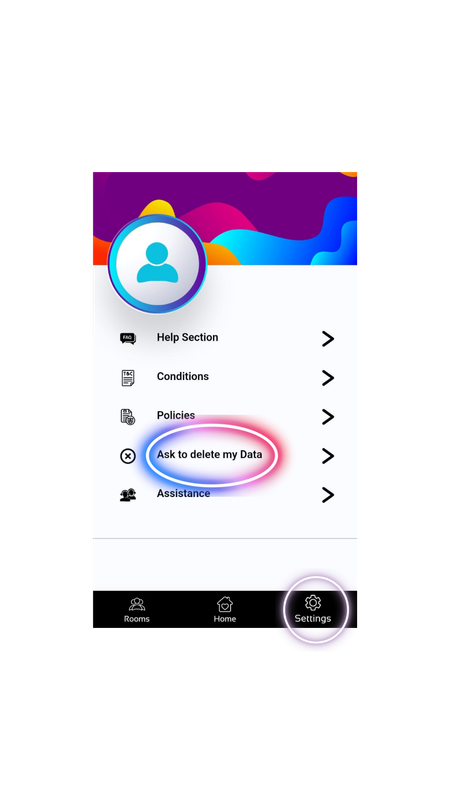
- Open the app and go to Settings → Profile.
- Select Delete My Data.
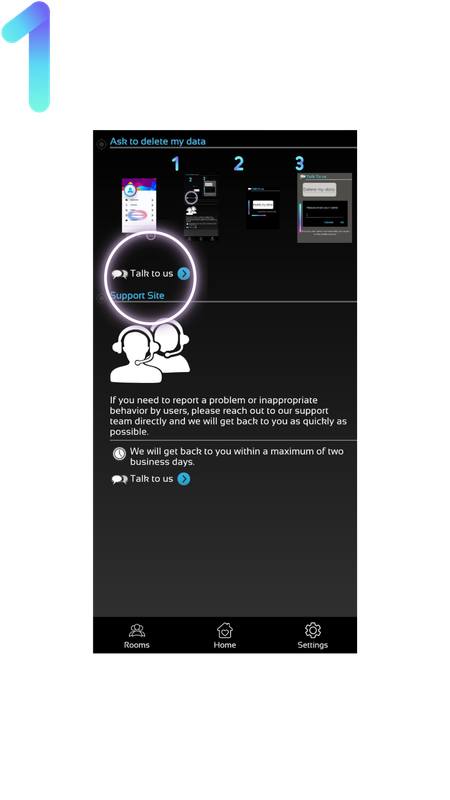
- Tap Talk to Us to start a conversation.
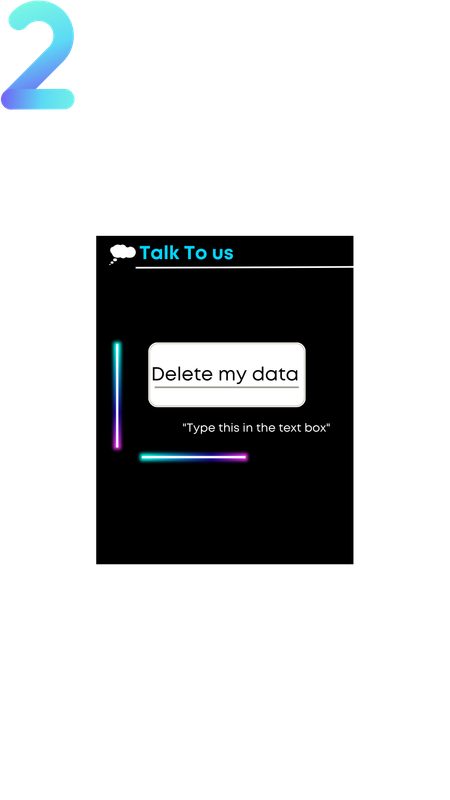
- Write the message: “Delete my data”.
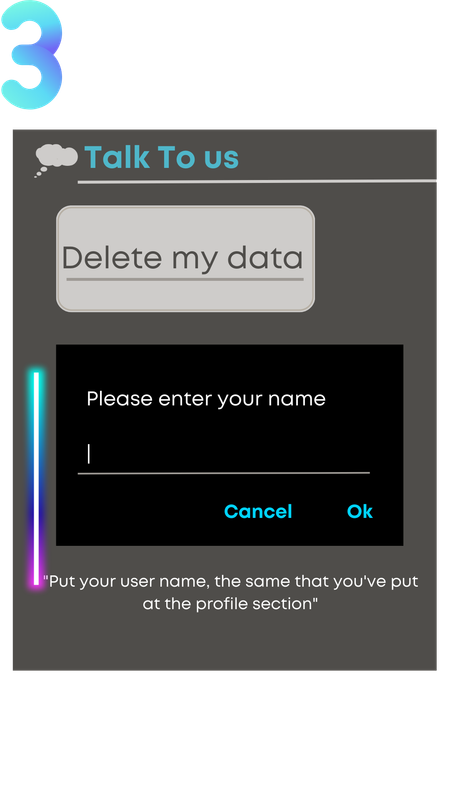
- Enter the exact username used during registration.
What Happens Next?
Once your request is received, we verify the account and permanently delete all associated data. This action is irreversible.
Data That Will Be Deleted
- Profile photos and videos
- Username
- Gender
- Location data
- Public chat messages
Data Retention Policy
After deletion, we do not retain any personal information. All data is permanently removed from our databases and backups.